Help:DMS-Clone Masters: Difference between revisions
Updated with new screenshot and info |
(No difference)
|
Latest revision as of 17:06, 31 July 2014
This screen displays the Clone Masters which match the selections made on the previous screen.
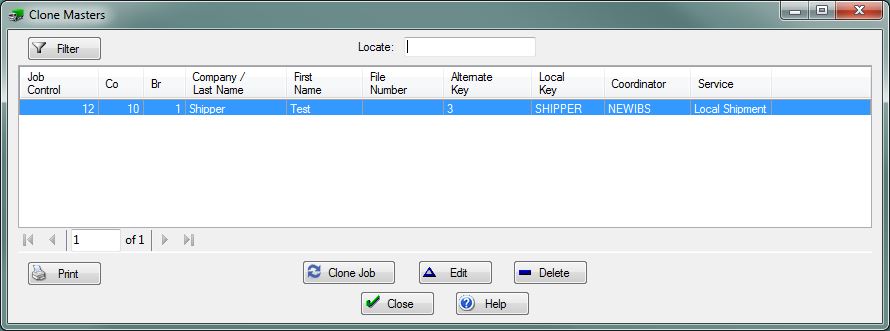
This screen displays the Clone Masters in a standard list box. The desired entry can be quickly located by using the Locator: field.
[Filter] Press this button to open the Clone Masters Selections screen. You can re-filter the listing.
[Print] Press this button to print the information listed on this screen.
[Clone Job] Press this button to open the Clone Job screen and clone the highlighted record.
[Edit] Press this button to Edit the highlighted record.
[Delete] Press this button to remove the highlighted record.
[Close] Press this button to close this window and return to the previous screen.
[Help] Press this button to call the Help Screen.

