MoverBiz:Screenshots-Quickly Add Shipments
From DirectWiki
Quickly Add Shipments
<< Back to screenshots
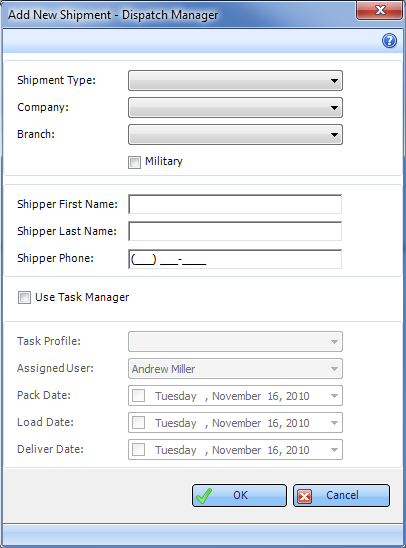
Creating a new shipment in MoverBiz is a snap. Simply select the Shipment Type, Company and Branch from user-defined dropdowns, enter the customer name and phone number and that’s it! Also, utilizing Direct’s unique Task Manager when creating a new shipment will automatically assign tasks to designated personnel. Stay on top of your Customer relations with the Task Manager.