Help:Common-Extension Maintenance
This screen allows you to manage the known Extensions in the system. "Extension" refers to the file extension that Windows and other programs use to determine what type of file it is. Similar to Windows, our Images feature allows you to specify how to handle various extensions through File Actions management, but the extension must first be present in the database and can be added from this screen.
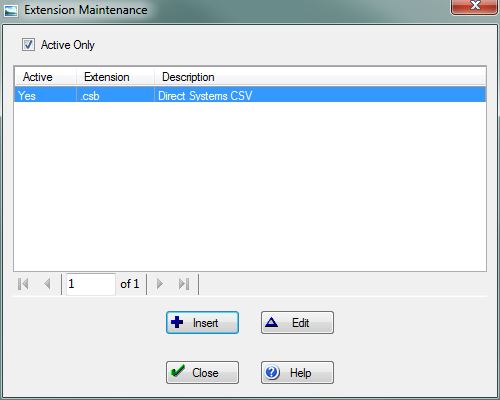
[x] Active Only Use this checkbox to specify whether to include extensions that are not marked as "Active". This box is checked by default.
File:InsertButton.PNG Press this button to open the Add Extension screen and add a new extension to the system.
File:EditButton.PNG Press this button to open the Edit Extension screen and change an existing extension, including marking it as inactive.
File:CloseButton.PNG Press this button to return to the previous screen.
File:HelpButton.PNG Press this button to call the Help Screen.


