Help:DM1-Select Services for the Big Board
From DirectWiki
Select Services for MoverBiz Big Board
This screen allows you to select Services that will be displayed on the Big Board. These selections are enterprise-wide, meaning that these are the Services that everyone will see when they open the Big Board. You must have permission 60 to access this screen.
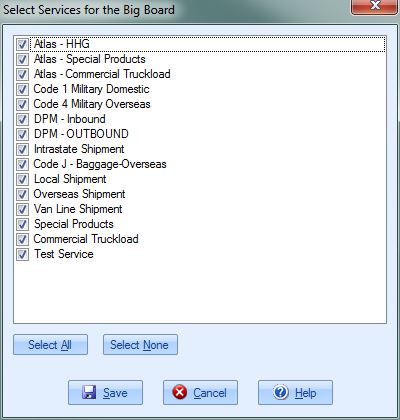
[Select All] Press this button to select all of the Services in the list.
[Select None] Press this button to unselect all of the Services in the list.
[Save] Press this button to save your changes. Once saved, the Service dropdown box on the Filter panel will be updated with the new selections.
[Cancel] Press this button to cancel any changes and return to the previous screen.
[Help] Press this button to open the Help screen.

