Help:DM1-Transaction Log For Single Job: Difference between revisions
From DirectWiki
added frame |
added content |
||
| Line 1: | Line 1: | ||
__NOTITLE__ | __NOTITLE__ | ||
{{Page title|Van Line Transaction Log For Single Job}} | {{Page title|Van Line Transaction Log For Single Job}} | ||
This screen allows you to view the Van Line Transaction Log for a single Job. | |||
[[File:DMS_Van_Line_Transaction_Log_Single.JPG|link=]] | [[File:DMS_Van_Line_Transaction_Log_Single.JPG|link=]] | ||
'''Last Updated:''' This timestamp was the last time the transaction log for this Job was updated. | |||
'''Log Text:''' This displays the contents of the log. New items are appended to the end of the log's text. | |||
[[File:PrintButton.PNG|link=]] Press this button to send the current log to the printer. | |||
[[File:CloseButton.PNG|link=]] Press this button to return to the previous screen. | |||
[[File:HelpButton.PNG|link=]] Press this button to call the Help Screen. | |||
Latest revision as of 15:11, 12 August 2014
Van Line Transaction Log For Single Job
This screen allows you to view the Van Line Transaction Log for a single Job.
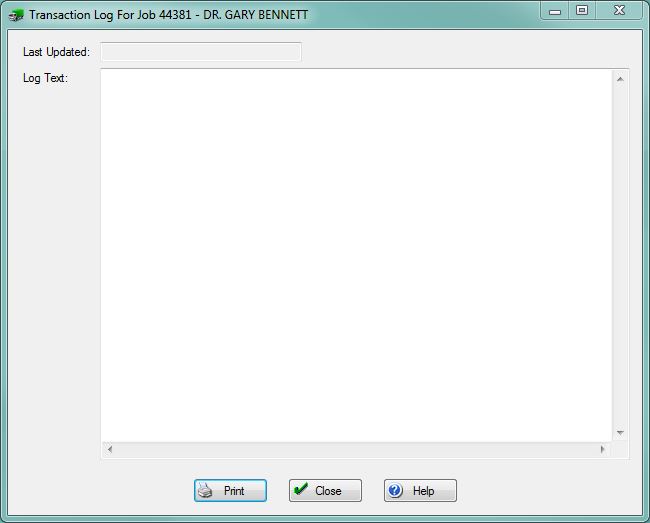
Last Updated: This timestamp was the last time the transaction log for this Job was updated.
Log Text: This displays the contents of the log. New items are appended to the end of the log's text.
File:PrintButton.PNG Press this button to send the current log to the printer.
File:CloseButton.PNG Press this button to return to the previous screen.
File:HelpButton.PNG Press this button to call the Help Screen.


