Help:DM1-Military Tonnage By Carrier Details Report: Difference between revisions
From DirectWiki
added frame |
added content |
||
| Line 1: | Line 1: | ||
__NOTITLE__ | __NOTITLE__ | ||
{{Page title|Military Tonnage By Carrier Details Report}} | {{Page title|Military Tonnage By Carrier Details Report}} | ||
This screen gives you a break down of the Jobs for a selected result on the Military Tonnage by Carrier report. | |||
[[File:DMS_Military_Tonnage_By_Carrier_Detail.JPG|link=]] | [[File:DMS_Military_Tonnage_By_Carrier_Detail.JPG|link=]] | ||
'''Filter''' Hover over this button to get a pop-up with the filter from the Military Tonnage by Carrier Report. | |||
'''[x] Sub-Group by Destination State on Report''' Check this box to sub-group by Destination State. | |||
'''[Print]''' Press this button to print the current report. | |||
'''[Close]''' Press this button to close and return to the previous screen. | |||
'''[Help]''' Press this button to call the help screen. | |||
Latest revision as of 15:26, 21 August 2014
Military Tonnage By Carrier Details Report
This screen gives you a break down of the Jobs for a selected result on the Military Tonnage by Carrier report.
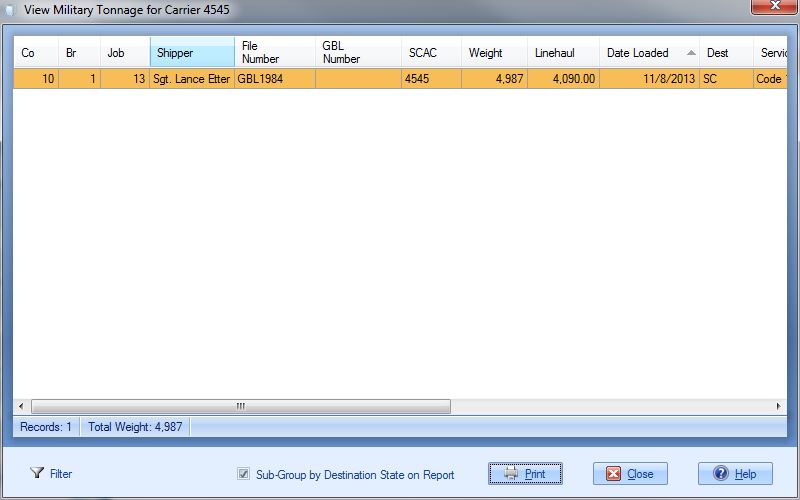
Filter Hover over this button to get a pop-up with the filter from the Military Tonnage by Carrier Report.
[x] Sub-Group by Destination State on Report Check this box to sub-group by Destination State.
[Print] Press this button to print the current report.
[Close] Press this button to close and return to the previous screen.
[Help] Press this button to call the help screen.

