Help:Common-Image Viewer: Difference between revisions
added frame |
added content |
||
| Line 2: | Line 2: | ||
{{Page title|Image Viewer}} | {{Page title|Image Viewer}} | ||
This screen is used to view files of Image format (.jpg | .jpeg | .gif | .png | .tif | .tiff | .bmp). It is the default image viewer if no other application is specified under [[Help:Common-File_Action_Maintenance|File Actions]]. | |||
[[File:Common_Image_Viewer.JPG|link=]] | [[File:Common_Image_Viewer.JPG|link=]] | ||
You can also view multi-page TIFF files and use the additional toolbar to change the current page: | |||
[[File:Common_Image_Viewer_Tiff.JPG|link=]] | [[File:Common_Image_Viewer_Tiff.JPG|link=]] | ||
'''[-]''' Use this button to zoom out on the Image. | |||
'''Reset Zoom''' Use this button to reset the current zoom factor. | |||
'''[+]''' Use this button to zoom in on the Image. | |||
[[File:PrintButton.PNG|link=]] Press this button to print the Image. | |||
[[File:ExportButton.PNG|link=]] Press this button to export the selected image to a specified location on the file system. You will browse to your preferred export location. The Description and Extension are automatically filled out in the "File Name" textbox. | |||
[[File:CloseButton.PNG|link=]] Press this button to close the Image Viewer and return to the previous screen. | |||
[[File:HelpButton.PNG|link=]] Press this button to call the Help Screen. | |||
Latest revision as of 19:15, 1 August 2014
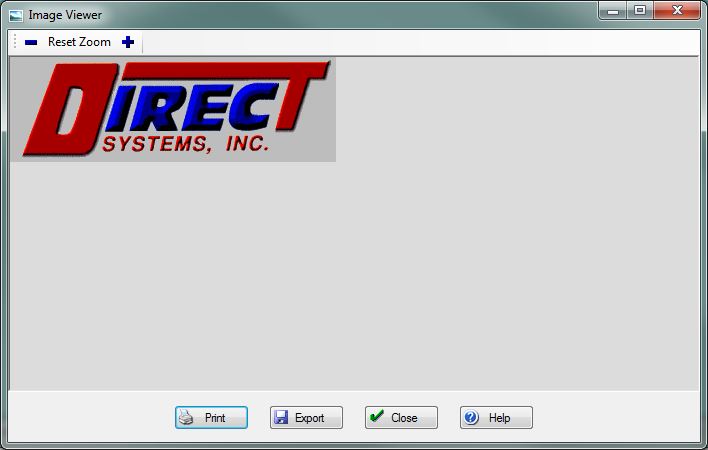
This screen is used to view files of Image format (.jpg | .jpeg | .gif | .png | .tif | .tiff | .bmp). It is the default image viewer if no other application is specified under File Actions.
You can also view multi-page TIFF files and use the additional toolbar to change the current page:

[-] Use this button to zoom out on the Image.
Reset Zoom Use this button to reset the current zoom factor.
[+] Use this button to zoom in on the Image.
File:PrintButton.PNG Press this button to print the Image.
File:ExportButton.PNG Press this button to export the selected image to a specified location on the file system. You will browse to your preferred export location. The Description and Extension are automatically filled out in the "File Name" textbox.
File:CloseButton.PNG Press this button to close the Image Viewer and return to the previous screen.
File:HelpButton.PNG Press this button to call the Help Screen.


